Order from your country
VR trackers in Canada: plan your kit, currency and delivery
Prepare a Ghosty Trackers order for Canada: check CAD references, MXN payment, delivery details, language preferences and your SlimeVR setup.
3 min read
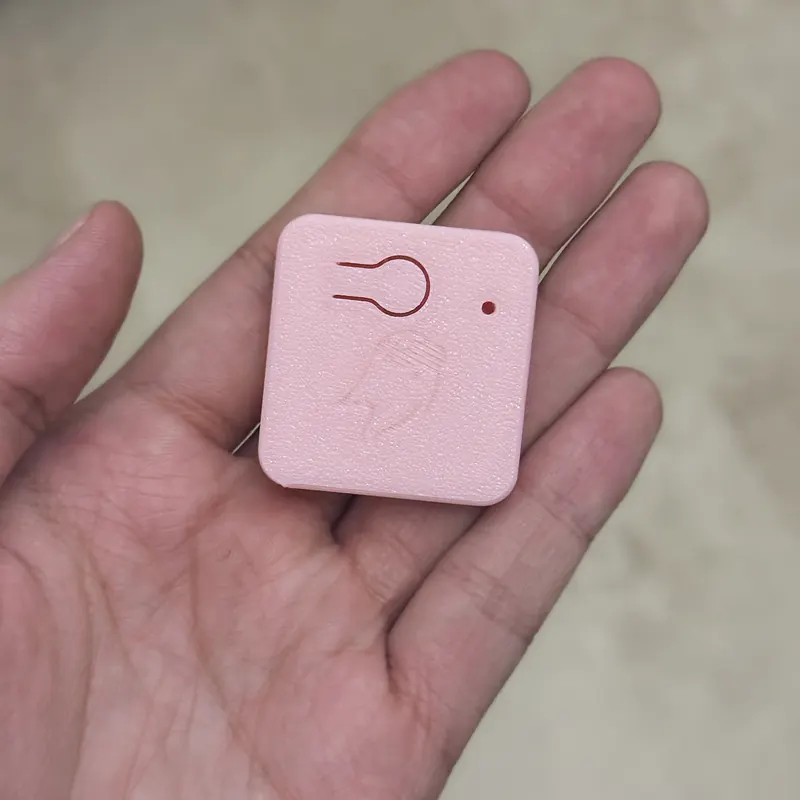
Make one clear record of your order
For a Ghosty Trackers order to Canada, start a note with your selected kit, delivery address and intended VR setup. We manufacture and ship from Mexico. The Canadian market pages are available in English and French, with Canadian dollars as a reference currency and the charge shown in Mexican pesos.
Keep the currency labels when you save a quote. Record the kit and international shipping in MXN, then the CAD estimate and its displayed date. If you compare it with another store, compare the same contents and delivery scope. Ask your payment provider how it handles a charge in MXN.
What belongs in the delivery conversation?
Provide your province or territory, postal code and any apartment or unit details when discussing the order. Ask for the carrier, tracking method and any information needed before dispatch. Save the answers with the quote.
CBSA explains that imported goods may incur duties or taxes, while customs clearance fees charged by a courier are separate charges. It recommends confirming services and fees directly with the courier or broker. CBSA: importing personal goods by courier.
Use that distinction when reviewing your budget. Ask what the quoted shipping service includes and what could be collected separately. This guide does not assign a tax rate, customs classification or exemption to the kit.
Keep the purchase description accurate and complete. A useful order record identifies the tracker count, receiver and accessories, alongside the amount paid. CBSA requires imported items to be properly declared, using complete and accurate information. CBSA: declaration requirements.
Prepare your SlimeVR device
Check the Ghosty compatibility overview and decide where to connect the USB receiver. For PCVR, that is the PC running SlimeVR Server. For our Quest standalone method, it is an Android phone or laptop running the server.
On Android, SlimeVR lists Android 8.0 or newer, a free port 8080 and background operation among its requirements. Review those settings before your first session. SlimeVR: mobile setup.
For Quest standalone, the server sends tracking data to VRChat through OSC. SlimeVR documents how to enter the Quest IP address and enable OSC in the game. SlimeVR: OSC setup.
You can prepare the software and locate the relevant menus before delivery. Once you have the kit, check its contents against your order, then follow the setup instructions with the actual trackers connected.
Keep language and support needs explicit
Tell Ghosty which language you prefer for setup questions, and confirm what assistance is available before ordering. A translated market page does not establish the language of every tutorial or support conversation.
Our existing guides to choosing the tracker count and using Quest without a gaming PC are in Spanish. The official SlimeVR pages linked above are in English. Start with the material you can follow comfortably, and note any steps you want clarified.
Your order checklist
- What is in the kit, including the receiver and accessories?
- What is charged in MXN, and which CAD estimate are you comparing?
- How is delivery handled, and what could be charged separately?
- Which device runs SlimeVR Server?
Use the Canadian kit page to review the current options with those answers together.
Ghosty Trackers are compatible with SlimeVR. Ghosty Labs is not affiliated with SlimeVR B.V.